Infinite Painter
- 4.5
- Rating
- 10.00M
- Installs
- Free
- Price

 Analysis by App-foxy
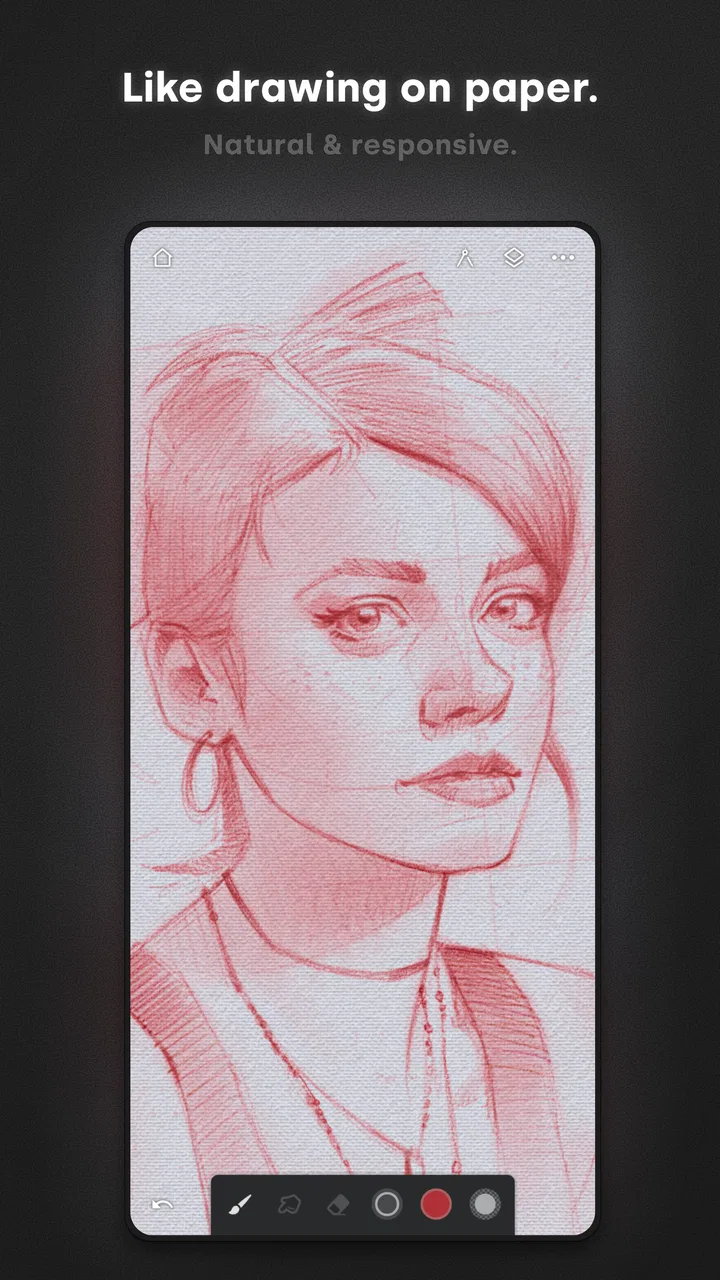
When I want to sketch, paint, or test an idea without opening a desktop program, I reach for Infinite Painter. It feels designed for people who want a serious canvas on a phone or tablet rather than a simple coloring tool. I can begin with a loose pencil study, build a layered illustration, or make a quick visual note, and the app stays focused on the act of drawing instead of surrounding it with unnecessary distractions.
That focus is the main reason I think it deserves attention in the Art & Design category. It is free to start, suitable for Everyone, and developed by Infinite Studio LLC. The current version is 7.2.4, while the app itself has been available since April 2, 2012. That long presence matters: this is not a brand-new sketchpad trying to imitate professional software. It has had time to develop into a mobile drawing workspace with a clear identity.
My overall impression is positive, but I would not recommend it to everybody. It is a strong choice for digital artists, students, illustrators, hobbyists, and anyone who prefers drawing with a stylus. It is less convincing if you only need occasional annotations, want a very simple doodling app, or expect every advanced tool to be available without spending anything. The free entry point is useful, but the in-app purchases, which range from $1.99 to $9.99 per item, mean that the full experience deserves a closer look before you commit to a particular workflow.
You May Also Like

 Blood Strike: 2.5 Anniversary
Blood Strike’s Loadouts Turn Every Drop Into a Tactical Gamble
A close look at Blood Strike’s custom loadouts: how fast access to signature weapons reshapes its battle royale rhythm, rewards preparation, and narrows the gap between fights.

 Pandora - Music & Podcasts
Pandora’s Music Is Easy to Start, but Harder to Recover
Pandora’s strength is its low-effort path from a seed to a station. Its weak spot is how much confidence it asks you to place in connection, setup, and quiet recovery.

 8 Ball Pool
 Is Built on Rivalries, Rematches, and Routine
A close look at the rivalries, rematches, shared routines, and unanswered safety questions that turn a quick pool match into a persistent mobile community.

 Samsung Music
’s Quiet Strength Is Playing What You Already Own
Its reach comes less from spectacle than from dependable access to a personal library. That simplicity is both the app’s strongest retention engine and its ceiling.

 AccuWeather: Weather Radar
AccuWeather Review: A Quick, Clear Forecast for Everyday Decisions
For everyday plans, the best forecast is the one you can understand quickly. AccuWeather makes rain timing, radar, and local conditions easy to act on, with a few trade-offs.

 Hill Climb Racing
Why Hill Climb Racing Still Turns Crashes Into One More Run
A tiny car, a bumpy hill and one more upgrade: Hill Climb Racing keeps resurfacing because its simple chaos makes every near-miss feel personal.
More From Our News Desk
View All News


How the current drawing experience feels
The first thing I notice while using the app is how quickly it gets out of my way. A blank canvas invites me to start rather than forcing me through a complicated setup. That makes it comfortable for short sessions, but the workspace also has enough depth for longer projects. I can move from rough construction lines to a more deliberate painting process without having to change applications.
This balance is important on a mobile device. A phone screen does not offer the same room as a desktop monitor, so every panel and control has to earn its place. Infinite Painter generally feels more like a compact studio than a basic notepad. I still need to learn where the tools are and how the interface behaves, but the learning curve feels connected to genuine creative control rather than artificial complexity.
For a realistic everyday example, imagine commuting or waiting for an appointment with a character idea in mind. I can open a new canvas, block in the pose with a rough brush, zoom in to adjust the face, and save the concept before the moment passes. Later, I can return to the same work and refine it with cleaner lines and color. That workflow is much more useful than taking a photograph of a paper sketch because the digital version remains editable.
The app is also practical for visual planning. I have used drawing tools not only for finished pictures but for arranging ideas: a rough room layout, a color direction for an illustration, or a sequence of shapes that explains a design problem. It is not limited to people who call themselves artists. Anyone who thinks visually can benefit from having a flexible canvas nearby.
Stylus users will probably get the most from it. Drawing with a finger is possible and fine for quick marks, but a pen gives better control over pressure, line direction, and small details. On a phone, my finger sometimes covers the exact point I am trying to edit. A larger tablet makes the experience more comfortable, especially when I am working on a detailed image or using several layers.
A workflow that rewards planning
One of my more useful discoveries is that the app works best when I treat a drawing as a sequence of decisions instead of one continuous painting session. I begin with a low-commitment sketch, keep structural changes separate from decorative details, and only spend time polishing after the composition feels right. This approach reduces the frustration of having to repaint an area because the underlying proportions were wrong.
Layers are especially valuable in that process. I can keep a rough sketch visible beneath cleaner lines, isolate a background from the subject, or experiment with color without permanently changing the earlier work. That makes the app suitable for learning as well as producing images. A beginner can compare the rough stage with the finished stage and see exactly where the drawing improved.
There is a trade-off, though. Layers make a project safer and more flexible, but they also create organizational work. If I add a new layer for every small idea without naming or arranging them, the canvas becomes harder to manage. My practical advice is to keep the sketch, line work, color, and effects logically separated, then merge only when I am confident that I will not need to edit them independently.
Another helpful habit is to zoom out regularly. At high magnification, it is easy to become absorbed in eyelashes, texture, or tiny edges while losing sight of the overall image. Infinite Painter makes close editing inviting, but the finished piece is usually judged at a normal viewing size. Checking the full canvas every few minutes helps me catch weak silhouettes and unbalanced areas before they become expensive to fix.
Where it stands beside familiar alternatives
Compared with a traditional paper sketchbook, Infinite Painter offers easier revisions, reusable color experiments, and a cleaner way to keep several stages of a project together. Paper still wins for immediate tactile simplicity: there is no interface to learn, no battery concern, and no temptation to keep adjusting a mark forever. I would choose paper for spontaneous gesture practice, but I prefer this app when I know the sketch may grow into a finished digital image.
Compared with a basic phone drawing app, it feels more intentional and less disposable. Simple alternatives are quicker when I only need to circle something in a screenshot or make a rough note. They are often better for a child who wants instant doodling. Infinite Painter becomes the better choice when I care about building an image, revisiting earlier decisions, and controlling the relationship between sketching and painting.
Desktop creative software still has advantages for very large compositions, precise production work, and long sessions with a full keyboard, monitor, and dedicated controls. I would not replace a desktop setup with this app for every professional task. What I like is its portability: it lets me capture and develop ideas when the larger setup is unavailable. For many people, that convenience is more valuable than having every possible desktop feature.
It also occupies a useful middle ground between a lightweight sketchpad and a full production environment. That middle ground can be a strength for learners because the app gives them room to grow. It can also be a weakness for someone who wants a single obvious button for every action. The more ambitious the drawing, the more time I need to spend understanding the workspace.
What has changed and what existing users should expect
The current version, 7.2.4, shows that the app is still maintained rather than frozen in its original form. I see that evolution in the overall sense of polish and in the way the experience supports a more deliberate illustration process than a simple early sketching tool would. The important point is not to assume that a version number automatically guarantees a particular feature; what matters to me is that the product has continued moving forward while keeping its central purpose intact.
For someone returning after a long break, the best approach is to spend a few minutes exploring the workspace before opening an important project. Mature creative apps can change the location or presentation of controls over time, even when the underlying ideas remain familiar. I would not begin with a deadline-sensitive illustration. I would make a test canvas, try the brushes I use most, and confirm that my usual layer and export habits still feel comfortable.
Existing users may appreciate that the app remains recognizable as a mobile painting environment rather than turning into a general-purpose design suite. That continuity is valuable. If I learned a workflow around sketching, painting, and layered editing, I can return to those activities without feeling that the app has abandoned its original audience.
At the same time, a long-running application can accumulate options. New users may see a more capable workspace but also face more decisions than they expected from a drawing app. My recommendation is to learn one complete route first: create a canvas, make a rough sketch, add clean lines, apply color, and save the result. Once that path feels natural, I can explore less frequently used tools without confusing experimentation with basic operation.
The audience around the app is substantial, with an average rating of 4.5 from around 231 thousand ratings and more than 10 million installs. Those figures suggest that the app has reached well beyond a small specialist community, but popularity should not be mistaken for a guarantee that every device or drawing style will feel equally comfortable. I still judge it by the way it fits my own screen, stylus, patience, and project size.
Small techniques that make a large difference
One technique I recommend is separating exploration from commitment. I make an early layer for loose marks and use it to test proportions, color relationships, and the general mood. Only after I like the direction do I create the cleaner stages. This prevents a common mobile-art problem: spending too much time polishing a weak idea because the polished marks feel difficult to discard.
A second technique is to keep a limited working palette at the beginning. Infinite Painter gives me room to experiment, but unlimited color choices can slow down decisions. I prefer choosing a few dominant colors, one or two supporting tones, and a dark value for structure. If the image works with that restricted group, adding subtle variations later feels purposeful rather than random.
A third insight concerns screen size. On a phone, I work in shorter passes and use zoom mainly for corrections, not for the entire drawing. On a tablet, I can judge the composition more comfortably and keep more of the canvas visible. If someone is deciding whether this app is right for them, the device may matter almost as much as the software. A capable drawing workspace can still feel cramped when the display is too small for the intended project.
I also suggest saving versions at meaningful milestones instead of relying on one constantly changing file. A rough composition, a line-art stage, and a color stage are useful checkpoints. They let me compare decisions and return to an earlier direction if an experiment fails. This is particularly helpful when learning because it turns mistakes into reference material rather than simply deleting them.
Where the experience still has friction
The biggest limitation for me is the compromise between depth and immediacy. The app can support serious work, but serious work demands attention. I need to remember which layer I am editing, keep an eye on the canvas at different zoom levels, and resist filling the workspace with unnecessary experiments. Someone expecting a two-button doodling experience may find that effort excessive.
Finger drawing is another boundary. It works for gestures, notes, and broad marks, but detailed line work is less comfortable without a stylus. If I were buying a drawing app specifically for casual use on a small phone, I might choose something simpler. Infinite Painter makes more sense when the user has a reason to care about control and intends to spend time developing an image.
The free price is inviting, but the presence of in-app purchases changes how I evaluate it. I can try the core experience without paying, which is the right way to decide whether the interface suits me. Before purchasing anything, I would identify the exact tool or capability I need and check whether it belongs to the paid portion of the app. That avoids spending money simply because I feel invested after starting a project.
There is also a psychological limitation that has nothing to do with brush quality: digital canvases can encourage endless tweaking. Because changing a mark is easy, I sometimes keep refining details that do not improve the image. Setting a time limit for the rough stage and deciding in advance when a piece is finished helps me use the app as a creative tool rather than an infinite loop of revisions.
People who need advanced desktop publishing, precise technical drafting, or a highly specialized professional pipeline may be better served by software built for those jobs. This app is strongest when the goal is drawing and painting on a mobile device. It should not be judged as a replacement for every kind of visual production.
Who should install it now
I would recommend it to a student who wants to practice illustration between classes, an artist who needs a portable sketchbook, or a hobbyist who has outgrown a basic doodling tool. It is also a good fit for someone who learns by experimenting because layers make it easier to preserve earlier stages and compare alternatives. The Everyone age rating makes it approachable for a broad audience, although younger users may still need help understanding the more advanced workspace and purchases.
I would be more cautious about recommending it to a person who only wants to annotate documents, mark up photos, or draw a quick arrow on a screenshot. Those tasks do not require the depth that makes this app interesting. A lighter tool may be faster and less distracting. I would also hesitate for anyone who dislikes learning interfaces or prefers the physical feel of paper above all else.
Before settling on it, I would answer three practical questions. Will I draw often enough to benefit from layers and a fuller painting workflow? Do I have a screen and input method that make detailed work comfortable? Am I willing to learn the app gradually instead of expecting instant mastery? If the answer to those questions is yes, the free starting point makes trying it fairly easy.
It is worth remembering that the app has been around since 2012, so its appeal is not based only on being new. Its continued relevance comes from serving a clear activity well: making digital art in a portable workspace. That makes it a sensible first serious drawing app, even if some users eventually move to desktop software as their projects become larger or more specialized.
What I would watch before committing to a long project
When I start an important illustration, I pay attention to how comfortable the app remains after the novelty wears off. I watch whether the canvas stays easy to navigate, whether my layer structure remains understandable, and whether the tools I use most are reachable without interrupting concentration. These are more meaningful signs of fit than a long feature list.
I also keep an eye on how the current version develops over time. The 7.2.4 release is the version I reviewed, and it is reasonable to expect future updates to shape the experience further, but I would separate that expectation from what I can use today. I would not plan a project around a hoped-for tool. I would build it with the controls already available and treat future improvements as a bonus.
My final verdict is that Infinite Painter succeeds because it takes mobile drawing seriously without losing the freedom of a quick sketch. It is approachable enough to try, deep enough to reward practice, and portable enough to become part of an everyday creative routine. The compromises are real: a stylus and larger display improve it, advanced work requires organization, and paid items may matter depending on the tools I need.
If you want a mobile canvas that can grow with your drawing habits, I think this is one of the better places to begin. I would install it for sketching characters, planning illustrations, studying color, or building finished artwork away from a desk. I would skip it for occasional annotations or if I want the absolute simplest drawing experience. For me, the deciding advantage is the combination of portability and a workflow that lets a rough idea become something much more deliberate.
That is why I see the app as more than a quick sketchpad. It gives me a practical bridge between casual drawing and serious digital illustration. I can start small, learn at my own pace, and decide later how far I want to take the process. As long as I accept that flexibility brings a little complexity, it remains an easy app to recommend to a friend who wants to draw regularly on Android or iOS.
FAQs for Infinite Painter
01What is Infinite Painter and what features does it offer?
Infinite Painter is a digital art application designed for both hobbyists and professional artists. It offers a wide range of features, including over 160 natural brushes, customizable brush settings, and a robust layering system. Users can also enjoy tools like gradients, pattern fills, and perspective guides, making it ideal for creating complex and detailed artworks.
02Is Infinite Painter suitable for beginners?
Yes, Infinite Painter is suitable for beginners. The app provides an intuitive and user-friendly interface, making it easy to navigate. Additionally, it offers tutorials and guides to help new users get accustomed to its features and tools. Beginners can explore different techniques and gradually enhance their skills using this app.
03On which platforms is Infinite Painter available?
Infinite Painter is available on both Android and iOS platforms. This ensures that a wide range of users can access the app regardless of their device preference. It is optimized for tablets, providing a more expansive canvas for artists to work on, but it functions well on smartphones too.
04Does Infinite Painter support collaboration or cloud storage?
Infinite Painter supports cloud storage integration, allowing users to save and access their artwork from multiple devices. However, it does not currently offer real-time collaboration features. Artists who prefer to work across devices will find the cloud integration helpful for maintaining their workflow and accessing their projects anywhere.
05Are there any in-app purchases or subscription fees?
Infinite Painter offers both a free version and a premium version. The free version provides access to basic tools and features, while the premium version unlocks more advanced tools and brushes. Users can opt for a one-time purchase or a subscription model to access the premium features, ensuring flexibility based on their needs and budget.
Pros
- Highly intuitive user interface.
- Wide range of brushes and tools.
- Seamless layer management.
- Smooth performance on most devices.
- Great for both beginners and pros.
Cons
- Limited free version features.
- Occasional lag on older devices.
- In-app purchases can be pricey.
- Needs more tutorials for new users.
- Some features hidden in menus.

Infinite Painter
Gallery